
REAL PHOTO IN
Start from the empty room photo you already have.
This is a listing-photo editing workflow, not a blank-scene generator. The uploaded room sets the shell, framing, and trust level for everything that follows.
Drag the slider to see how virtual staging transforms a real room. Upload your empty-room photo on the left to start staging yours.

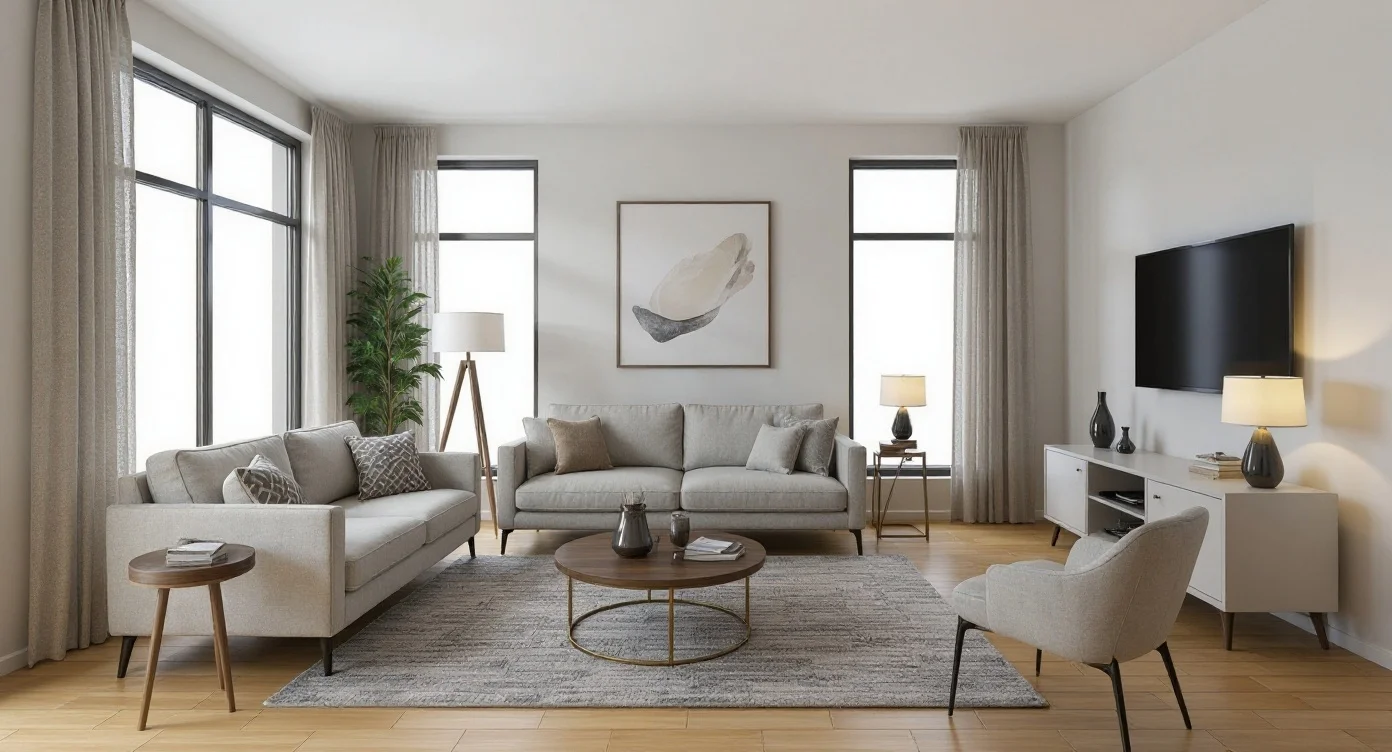
The core promise stays simple: preserve the shell of the photographed room, add furniture and decor that help the listing feel livable.
The strongest story here is practical: start from a real empty-room photo, preserve the shell, add buyer-friendly furniture, then compare a few sale-oriented directions before publishing.
This is a listing-photo editing workflow, not a blank-scene generator. The uploaded room sets the shell, framing, and trust level for everything that follows.
Modern, Scandinavian, premium, or family-friendly passes can all come from one upload when a team wants to choose the strongest listing angle.
The page should clearly communicate image-to-image staging rather than text-only concept art.
Walls, flooring, windows, and camera geometry should still read as the same property.
One upload can branch into multiple furnishing directions before the team picks a winner.
The narrative is operational: upload a room, pick a furnishing direction, review the staged output, then move straight into listing delivery or a second style pass.
Start from a clean listing image with visible walls, floor, ceiling, and windows so the staging pass has a trustworthy shell to preserve.
Set the room category, pick the furnishing direction, and add a short buyer-facing prompt when you want to steer decor or mood.
The staging model runs as a single-step image edit, then the workspace shows the original photo against the staged result for fast review.
Open the iterate panel and replace a single furniture piece with a different style — the room shell, lighting, and other furniture stay identical. Iterate non-destructively until each piece matches your buyer.
This is the clearest product story for agents: the same room becomes more readable, more emotional, and more marketable without implying that the building shell itself has changed.
The core promise stays simple: preserve the shell of the photographed room, add furniture and decor that help the listing feel livable.
These examples frame the product as a room-marketing tool: each card is a plausible furnishing direction for the same kind of sales workflow, not a generic design moodboard.

Neutral seating, warm daylight, listing-friendly balance
Stage this empty living room with modern seating, a soft neutral palette, and warm evening accents.

Clean bed styling, light woods, soft natural light
Stage this bedroom with a calm Scandinavian palette, linen bedding, and clean natural light.

Simple stools, polished counters, balanced daylight
Furnish this kitchen with contemporary stools, layered decor, and balanced daylight for listing photos.

Editorial furniture scale, upscale materials, premium mood
Convert this empty loft into a luxury lounge with sculpted furniture and a premium editorial mood.
AI virtual staging transforms photographs of empty rooms into beautifully furnished spaces in seconds. Upload a photo, choose a furniture style, and the AI adds realistic furniture, decor, and accessories while perfectly preserving the room's architecture, lighting, and spatial structure.
Traditional virtual staging services charge $20–$45 per image with 24–48 hour turnaround. Professional physical staging costs $2,000–$5,000 per property. Our AI virtual staging produces comparable results at approximately $0.04 per image in under 30 seconds — making it accessible for every listing, not just premium properties.
Choose from 18 carefully curated furniture and decor styles to match any property's target market:
Stage your room once, then refine it surgically. With AI Furniture Swap (Beta), you can change just the sofa style, swap a bed for a different headboard, or test multiple dining tables — all without redoing the whole staging photo. The room shell, lighting, and other furniture stay exactly the same, which means you can iterate non-destructively until each piece matches the style buyers respond to.
Five furniture categories supported in Beta:
This non-destructive virtual staging workflow lets you edit individual furniture in a staged photo without losing the rest of your iteration history. Open any completed staging, click the Furniture tab in the iterate panel, pick what to swap, and choose a new style — the AI keeps the entire room identical except for that one piece. Available on Pro and above.
Virtual staging is proven to help properties sell faster. The National Association of Realtors reports that staged homes sell 73% faster than unstaged ones. With AI virtual staging, you can:
The tool is equally valuable for property managers preparing rental listings, interior designers presenting furnishing concepts, and homeowners visualizing renovation outcomes.
Looking for exterior architectural visualization? Try our AI Architecture Generator. Need to design room interiors from scratch? Our AI Interior Design Generator creates rooms from text descriptions.
Start with free generations above, or see our pricing plans for unlimited staging and high-resolution downloads.
Pro and above get 20+ virtual staging generations / month, MLS-compliant output, no watermark.