AI Architecture Generator for Concept and Client Work.Prompt or sketch → photorealistic architecture render in 30 seconds.
Concept exploration, client iteration, competition boards, pre-construction marketing — the AI architecture generator compresses 8-40h V-Ray passes to under a minute while preserving project geometry from your sketch or SketchUp export.
Free to try · No credit card required
Five audiences, one tool.
Concept and client-iteration phases. The AI architecture generator replaces 8-40h V-Ray passes with 30-second renders during design exploration. Final hero shots still finish in V-Ray when material accuracy matters.
Portfolio and competition boards. Focus design energy on the proposal itself; let AI rendering handle the visualization curve without three months of V-Ray training.
Pre-construction marketing renders for off-plan properties. Show buyers what the project will look like before structural work starts — much faster than commissioning a render house.
Exterior context for interior commissions. Render the building shell + neighborhood feel so the interior proposal sits in a credible setting.
Visualize proposed exterior changes — facade refresh, addition, landscaping — over the existing photo before committing to the build.
Prompt or sketch in. Photorealistic render out.
Frame the project
Start with a text prompt ("4-story Scandinavian residential, oak panels, golden hour") or upload a sketch / SketchUp export. Both inputs work; the prompt path gives more direction, the sketch path preserves your geometry.
Choose style + program + lighting
Pick from style presets (Modern / Mediterranean / Scandinavian / Brutalist / Japanese / Art Deco) and add building program (residential / commercial / institutional), lighting (golden hour / overcast / blue hour), and a material accent. Or start from a template.
Generate in ~30 seconds
Hit generate. The AI structure layer preserves geometry from your sketch (if provided); the diffusion model fills in materials, lighting, vegetation, and atmosphere. Watch the canvas — first frame typically lands in 25-40 seconds.
Iterate inside the version tree
Lock a render you like as the baseline, then vary one variable at a time: material palette, time of day, vegetation density, secondary accent. The version tree keeps every iteration so you can compare branches side by side before delivery.
What this generator actually does.
Modern, Mediterranean, Scandinavian, Japanese, Brutalist, Art Deco, Industrial — each style applies a coherent material + composition language, not just a color filter.
Hand sketch, hidden-line SketchUp export, scanned CAD, or pure text prompt. The structure layer preserves geometry from image inputs; prompt-only generates from scratch.
Change material, lighting, environment, or population on a locked render without regenerating the whole image. Non-destructive — the original stays in the version tree.
Studio and above can upgrade the winning render to Magazine Print quality (~50 second extra render) for hero shots, client decks, and portfolio submissions.
Convert a 2D render to a 3D mesh (.glb) using the integrated TripoSR / Hunyuan3D pipeline. Useful for AR walkthroughs and interactive client demos.
Pre-tuned starting points — "modern villa golden hour", "brutalist museum overcast", "Japanese tea house dawn" — that bundle style + program + lighting + material accent.
Two sketches. Two buildings. Real renders.
Each pair below is an actual sketch input next to its AI render — no curation, no retouching.
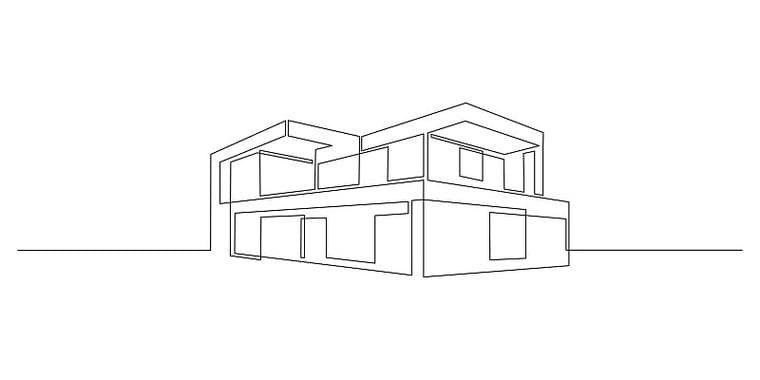
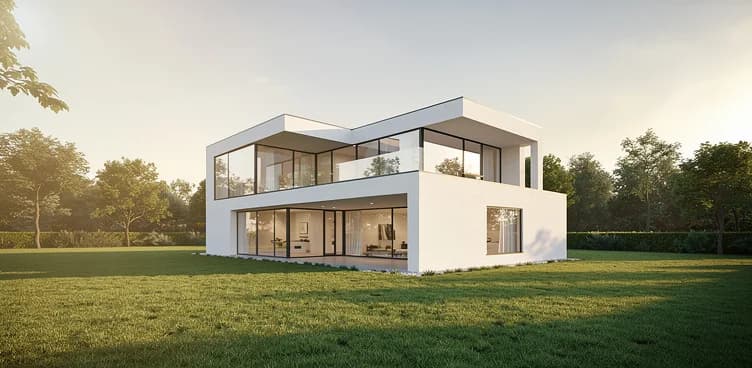
Sketch → AI render
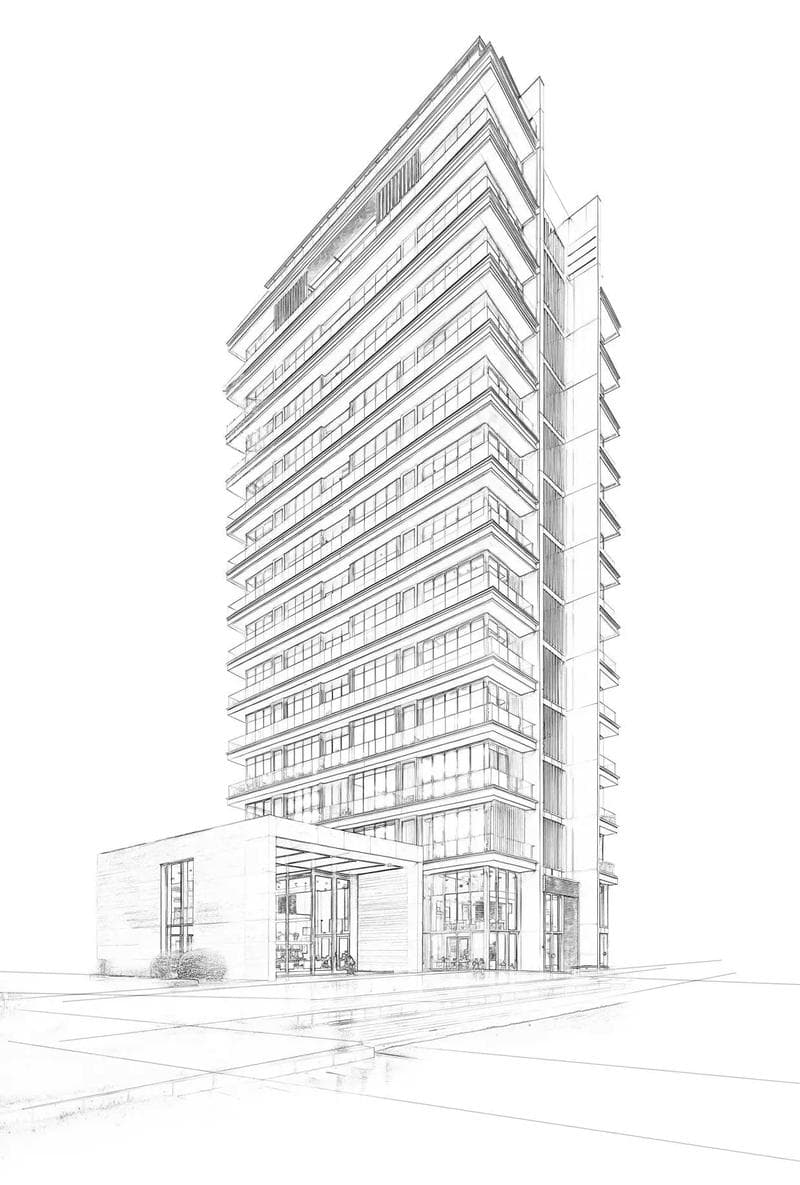
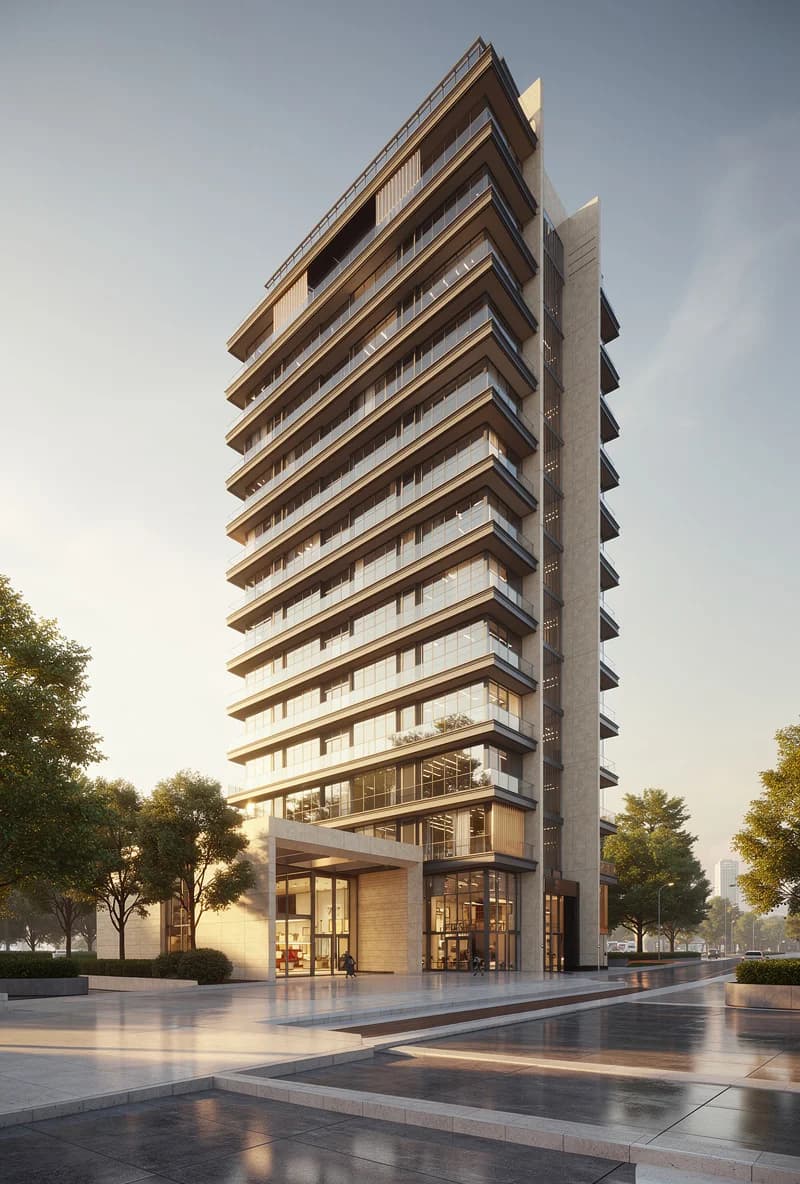
Sketch → AI render
Get a better render in one pass.
- Use clear linework for sketch inputs — pencil on white paper, or hidden-line SketchUp export. Heavy color fills fight the style prompt.
- Keep perspective consistent — AI propagates broken vanishing points into the render with photorealistic textures, making errors harder to spot.
- Be specific in prompts: style + program + lighting + material. "Modern villa" is weak; "3-story Scandinavian residential, oak cladding, golden hour, dense pine forest backdrop" lands the render closer to intent.
- For SketchUp exports, keep edges and openings clearly readable at actual size within the uploader limit. For scans, use ≥200 dpi.
- For multi-iteration work, lock a baseline first, then change one variable at a time. Changing 3 variables at once makes it hard to attribute what improved.
Where AI architecture rendering ends.
- Complex parametric facades (curved panels, dense double-skin) render less reliably than orthogonal massing.
- Specific branded materials ("Mutina Pico tile, matte cream") render as a plausible family member, not the exact SKU.
- Interior scenes through windows show soft consistency — fine for atmosphere, not for accurate interior layout from the exterior view.
- Perspective errors in sketch input propagate to render output. AI inherits geometry; it does not correct it.
- Not for permit submissions, construction drawings, or engineering specifications. Concept renders for design exploration and client communication only.
Start from a template, not a blank prompt.
Templates bundle style + program + lighting + material accent into a one-click starting point. Pick the closest match, then iterate.
Related guides + use cases.
One concept sketch taken to a photorealistic villa render — see the before/after and the lighting / material variants.
Read →Companion guide focused on the sketch-input path: prep, prompt, iterate, ship. Read this if your main input is hand-drawn or SketchUp.
Read →Export a clean SketchUp view, turn it into a presentation-ready render, and compare where AI fits beside V-Ray, Enscape, or D5.
Read →When AI rendering fits, when it does not, and how the workflow changes architectural practice in 2026.
Read →Export settings, the 4-part prompt structure, and decision tree vs V-Ray and Enscape.
Read →Run your own project through the generator.
Free tier, no credit card, runs in the browser. Upload a sketch or paste a prompt and see what happens in 30 seconds.